Member Management and Membership Tiers in an Association LMS
How membership tiers should map to association LMS access and pricing: a worked tier matrix, AMS sync rules, lapsed-member handling and a buyer checklist.
On this page 8 sections
- The membership data an association LMS has to read
- How membership tiers should map to LMS access and pricing
- Worked example: a tier matrix for a professional society
- How AMS sync should work: what flows which way, and when
- Lapsed members, grace periods and renewals
- Group and organizational memberships
- Requirements checklist for evaluating an association LMS on member management
- Frequently asked questions
Short answer
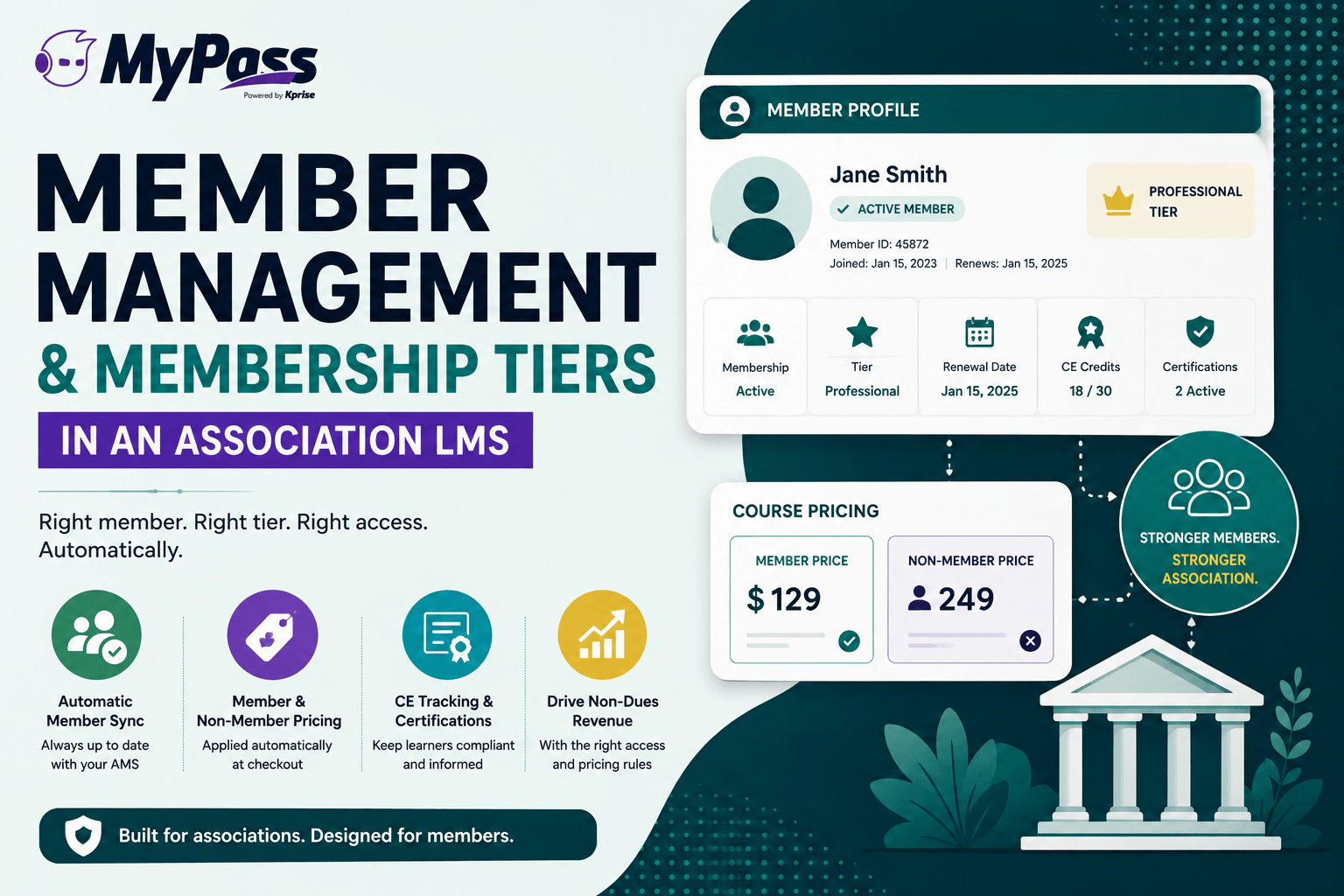
Member management in an association LMS means the platform reads each learner's membership status, tier, chapter and employer from your AMS, then applies the right course price, catalog and CE tracking automatically. It also defines what happens on lapse and renewal, and writes completions and credits back to the member record.
Membership tiers in an association LMS decide three things on every course: who can see it, what they pay, and whether the credit counts toward their requirement. A corporate LMS only has to know whether someone is an employee. Yours has to know whether a learner is a current member, at which tier, in which chapter, linked to which employer, and how far through their CE cycle they are. This guide shows how to map tiers to access and pricing, how the AMS sync should behave, and what to test before you sign with a vendor. If you are still defining the category, start with what an association LMS is and how it differs from a corporate one.
Tier-driven enrolment is the part most platforms cannot do. If you want to see it working against a live AMS, MyPass Association LMS shows the object-by-object sync boundary — what moves, which direction, and what deliberately stays in your AMS.
The membership data an association LMS has to read
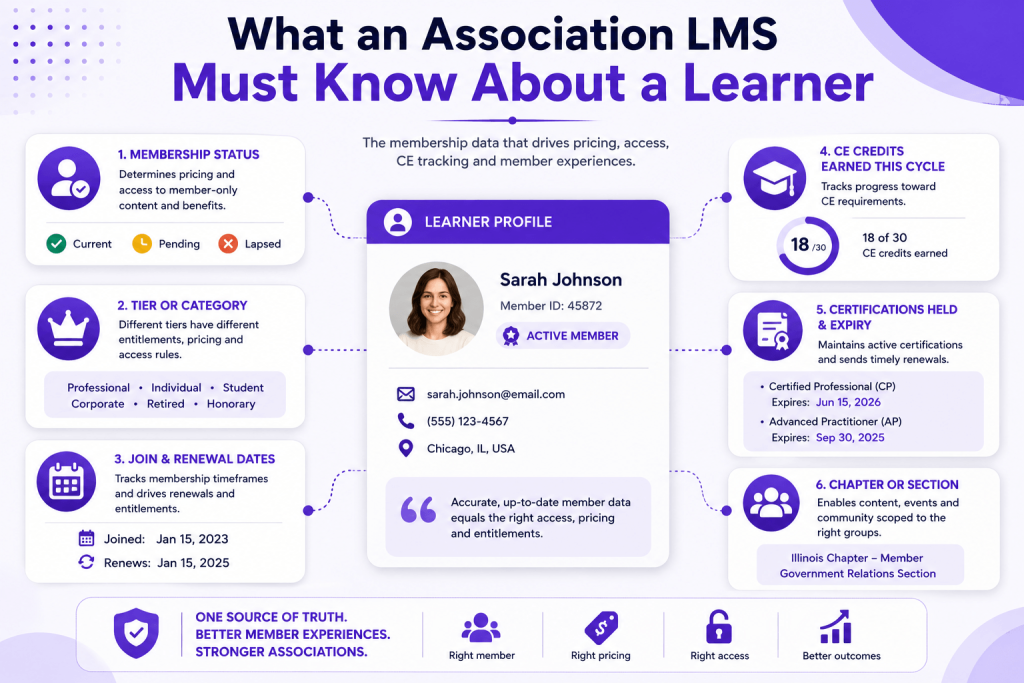
Before you design tiers, list the fields the LMS needs on every learner record. If a field is missing, someone on your staff ends up maintaining it by hand in a spreadsheet.
- AMS member ID. The key that links the two systems. Match on this, never on email address, because members change emails and duplicate accounts split their transcripts.
- Member status and paid-through date. Active, grace, lapsed, or non-member. Status drives pricing and access.
- Member type code. Student, early-career, professional, retired, honorary, international, organizational. Use the AMS codes as-is so nobody translates them.
- Chapter, section or special interest group. Needed for scoped content and scoped reporting.
- Organization link. Which company or institution the person belongs to, and whether that organization holds a group membership.
- License or credential number and cycle dates. When the member's current CE cycle started, when it ends, and how many hours it requires. Our guide to what CEUs are and how they are counted covers the unit definitions.
How membership tiers should map to LMS access and pricing
Member and non-member pricing on one catalog
Build one course record with several prices attached, each keyed to an AMS member type code. Do not build a separate "member catalog" copy of each course, and do not hand out coupon codes for member pricing. Duplicate courses split your completion reports, and codes leak to non-members within weeks. The LMS should look up the learner's status at checkout and show the right price without the learner doing anything.
Show both prices on the course page for logged-out and non-member visitors, with a join link beside the member price. The gap between the two prices is one of the clearest recurring arguments for joining that your association has.
Tier-based catalogs and included entitlements
Tiers can change what a member can see, what is included in dues, or both. TopClass LMS describes three common tier models: tiers that scale by the number of CE credits included, a basic tier that pays per course while higher tiers get unlimited access, and premium tiers that add programming nobody else can buy. Pick one model and apply it consistently. Mixing all three in a single tier ladder confuses members and your own staff.
Whatever model you choose, the LMS has to treat "included" as an entitlement with a balance and a reset date, not as a price of $0. A Professional Plus member with 15 included credit hours should see how many hours remain, and the balance should reset at the start of their new membership term.
Tip
Keep your highest-value education outside the tier ladder. Certification exams, review courses and flagship institutes sell better as member-discounted purchases than as tier perks, a point the same TopClass article makes about protecting education revenue. Put them in tiers and you cap what you can earn from your best content.
Chapter and component access
Chapters usually need three things from the LMS: content only their members can see (a chapter leadership track, recordings of chapter meetings), an administrator who can see reports for their chapter and nobody else, and credits from chapter events landing on the same transcript as national courses. Drive all three from the chapter field in the AMS. Tri Sigma, for example, builds its LMS groups from AMS data, including one group per chapter and one for all chapter presidents, as described in this set of AMS-LMS integration case notes. If chapter admins are building groups by hand, the groups will be wrong by the second month.
Worked example: a tier matrix for a professional society
Here is an illustrative matrix for a hypothetical state society of 6,000 licensed professionals whose members must earn 30 CE hours every two years. Prices are examples for a standard one-credit-hour on-demand course with a $149 non-member list price. Swap in your own numbers; keep the structure.
| Tier (AMS member type) | Course access | Price per course | CE tracking |
|---|---|---|---|
| Non-member (free account) | Public catalog: on-demand courses and open webinars | $149 | Certificate per course; transcript of purchased courses only |
| Student | Member catalog plus student career track; recorded webinars included | $39 | Completions recorded; CE cycle starts when a license number is added |
| Early-career (first 3 years licensed) | Member catalog; recorded webinars included | $79 | Full transcript against the 2-year, 30-hour cycle; credits written back to the AMS |
| Professional | Member catalog; recorded webinars included | $99 | As early-career, plus reminders at 180 and 60 days before cycle end |
| Professional Plus | Member catalog; 15 credit hours per year included; exam review course at member rate | $0 until 15 included hours are used, then $79 | As professional, plus a running balance of included hours used and remaining |
| Retired | Member catalog; recorded webinars included | $49 | Tracked only if a license number is on file |
| Organizational (per linked employee) | Member catalog for every linked employee; 20-seat prepaid bundle for the compliance series | $99, invoiced to the employer or drawn from the bundle | Individual transcripts; employer admin sees a rollup for its own people |
| Chapter leader (role, not a tier) | Chapter leadership track, visible only to leaders of that chapter | $0 | Completion tracking only, no credit |
Four design decisions are baked into that table:
- The AMS decides the tier; the LMS only reads it. Every price is keyed to a member type code, so a membership change in the AMS reprices the catalog with no LMS work.
- CE tracking follows the license, not the tier. A retired member who still holds a license needs a transcript. A student does not need a cycle yet.
- Included hours do not roll over. Rollover sounds generous but creates liabilities you have to track across years and argue about at renewal.
- Roles sit beside tiers. Chapter leader, organization admin and instructor are permissions, not membership levels. Keep them separate or your tier list grows a new row every time someone asks for access.
How AMS sync should work: what flows which way, and when
The AMS is the system of record for who someone is and what they belong to. The LMS is the system of record for what they learned. Leading Learning's AMS-LMS integration primer describes the same split: membership status, identity and purchases flow from the AMS, while activity, completions, CE credit and certificates flow back. It also calls single sign-on the most fundamental integration and generally a prerequisite for the rest. For a deeper treatment of ownership, see which system should own what between your AMS and LMS.
| Data | System of record | Direction | When it should move |
|---|---|---|---|
| Name, email, member ID | AMS | AMS to LMS | At every SSO login |
| Member status, type and paid-through date | AMS | AMS to LMS | At login, again at checkout, plus a scheduled sync (at least nightly) |
| Chapter and organization links | AMS | AMS to LMS | Scheduled sync |
| License number and CE cycle dates | AMS or credentialing system | To LMS | Scheduled sync |
| Course purchases | Whichever system runs checkout | To the other system | On payment |
| Completions, credit hours, credit type, certificate ID | LMS | LMS to AMS | On completion or in a nightly batch |
| Profile edits made in the LMS | AMS | Blocked in the LMS, or routed to the AMS | Never stored only in the LMS |
The timing column matters more than vendors admit. A nightly batch on its own means a member who renewed at 9 a.m. pays the non-member price at 10 a.m. The Oasis LMS buyer's guide raises the same point, telling buyers to ask whether a lapsed member loses member rates immediately or at the next sync. A login-time and checkout-time check closes that gap in both directions.
Write back more than "completed." The AMS record should receive the course ID, completion date, credit hours, credit type (for example, ethics versus general) and the certificate ID, so staff can answer an audit or a licensing board request from the member record alone. And make sync errors visible to staff on a dashboard or in an email. A connector that fails quietly for a week produces a week of wrong prices. Our LMS and AMS integration guide walks through field mapping and testing in more detail.
In MyPass LMS
MyPass LMS connects natively to iMIS, Nimble AMS, MemberClicks, Fonteva, NetForum, YourMembership, GrowthZone and Personify, with AMS integration included at every paid tier and no separate connector license. Its Compliance Hub combines AMS member sync with CE compliance tracking, compliance by program and expiration alerts, and certificates are issued on completion. See how this works on the MyPass LMS for associations page.
Lapsed members, grace periods and renewals
Most member complaints about an association LMS trace back to a lapse rule nobody wrote down. Decide the rules per membership state before configuration starts. For grace period length, i4a's grace period guidance suggests 30 to 60 days for most associations, 30 to 45 for professional associations and 30 days or less for credentialing bodies, with restricted access and prominent renewal warnings during the grace window.
| State | Pricing | Tier-included and member-only content | Courses already purchased | Transcript and certificates |
|---|---|---|---|---|
| Active | Member rate for their tier | Full access | Full access | Full access |
| Grace (paid-through date passed, within your window) | Member rate, with a renewal prompt at checkout | Can finish courses in progress; cannot start new included courses | Full access | Full access |
| Lapsed (grace ended) | Non-member rate | Removed; progress saved and frozen | Full access (they paid for it) | Always available |
| Renewed or reinstated | Member rate from next login | Restored; saved progress resumes | Full access | Continuous history |
| Rejoined later as a new member | Member rate | Restored; included-hours balance starts fresh | Full access | Same account and history, matched on member ID |
Read the status field, not only the paid-through date. AMS platforms handle the edges differently. Nimble AMS, for instance, has a reinstatement window in which a lapsed member can renew instead of rejoining, and its documentation states that member benefits are not active during the lapsed or reinstatement window. If your LMS only compares today's date with a paid-through date, it cannot tell those states apart.
Key point
One rule prevents most disputes: what a member bought is theirs, what their dues included ends with their dues, and their CE transcript is never locked. A lapsed member who cannot download last year's certificate before a license renewal will call your office, and they will be right.
Settle these renewal and tier-change cases as well:
- Mid-term upgrade: new entitlements apply immediately. Prorate included hours by the months remaining in the term, rounded down.
- Downgrade: takes effect at the next term start, never mid-term.
- Items in a cart: repriced at checkout against current status, in both directions.
- Renewal notices: show the member their CE progress in the renewal email. "You have earned 22 of 30 hours this cycle" is a stronger reason to renew than a generic reminder.
Group and organizational memberships
Trade associations and many professional societies sell memberships to employers. The AMS holds the organization record, its primary contact and the individuals linked to it. The LMS has to turn that into access using one of three models:
- All-staff: every individual linked to a member organization gets member pricing. Simple, and it grows your learner base, but you have no control over how many people claim the link.
- Named seats: the organization buys a set number of seats and its primary contact assigns them. The seat count lives in the AMS as part of the membership product; the LMS enforces it.
- Prepaid bundles: the employer buys a block of enrollments for a specific series and distributes them. This lives in LMS commerce and works alongside either model above.
Give the employer an organization admin role that can enroll, reassign seats and pull reports for its own linked people only. Decide up front whether that admin sees courses an employee bought personally. The safer rule is that employers see what they paid for or assigned, and nothing else.
Two events need explicit handling. When an employee leaves, the AMS removes the organization link, the LMS drops the organization entitlement at the next sync, the seat returns to the pool, and the person keeps their account, transcript and personal purchases. That is also a good moment to offer them an individual membership. When an organization lapses, every linked person falls back to their own status. Someone who holds both an individual and an organization-linked membership should always get the better of the two entitlements.
Requirements checklist for evaluating an association LMS on member management
Copy this into your RFP or demo script. Each line should get a yes, a no, or "custom work at extra cost."
- Native connector for your specific AMS and version, maintained by the vendor. State whether it is included or licensed separately, and who pays when your AMS ships a breaking change.
- Single sign-on with the AMS as identity provider, while non-members can still create an account and buy.
- Member status checked at login and at checkout, not only in a nightly batch.
- One course with multiple prices keyed to AMS member type codes, with no coupon codes needed.
- Tier-included entitlements with balances and reset dates.
- Configurable grace period, with defined behavior for active, grace, lapsed and reinstated states.
- Purchased courses, transcripts and certificates kept after a lapse.
- Completions, credit hours, credit type and certificate ID written back to the AMS member record.
- CE tracked against each member's own cycle dates, with automated reminders before the cycle ends.
- Chapter-scoped content and chapter admins with chapter-scoped reports.
- Organization admin role with seat pools, reassignment and scoped reporting.
- Accounts matched on member ID, with a way to merge duplicates without losing history.
- Sync errors logged where staff can see them.
- Platform pricing that does not charge you for members who are not learning this year.
Three scenarios to make every vendor run live
Slides prove nothing. Ask each vendor to do these in a sandbox connected to a test copy of your AMS, while you watch:
- Change a test member from active to lapsed in the AMS, then log in as that member. Show the price change, the content that disappears, and the transcript that stays.
- Link a new employee to a member organization in the AMS. Show them receiving member pricing and the organization admin seeing them in a report.
- Complete a one-credit course as a member. Show the credit hours, credit type and certificate arriving on the AMS record, and how long it took.
These are the same three scenarios we walk through when we demo the association LMS built around AMS sync, and any vendor serious about associations should be able to run them in under 20 minutes.
Platform pricing that fits a large member roster
Associations carry big rosters relative to the number of people learning in any given month. A society of 8,000 members might have a few hundred taking a course this month and a few dozen online at the same moment. Per-registered-user pricing makes you pay for the whole roster, which pushes you to keep members out of the LMS until they buy, the opposite of what a member benefit should do. Ask vendors to quote three ways if they can (per registered user, per active user and by concurrent capacity) and model each against your busiest month.
In MyPass LMS
MyPass LMS includes unlimited registered users on every plan and prices hosted plans by simultaneous logins: Shared Hosting covers up to 50 at once and Private Hosting up to 1,000. Associations and nonprofits get 20% off, which stacks with annual billing, plus a 60-day trial (approval required). Current rates are on the MyPass LMS pricing page.
Frequently asked questions
How should an association LMS handle member and non-member pricing?
Attach several prices to one course record, each keyed to a member type code from your AMS. The LMS checks the learner's status at login and at checkout and shows the right price automatically. Avoid duplicate member-only course copies and coupon codes: duplicates split your reports, and codes get shared with non-members.
What happens to a member's courses when their membership lapses?
A sound rule is that purchased courses stay available, content included in dues is removed with progress saved, new purchases move to the non-member price, and the CE transcript and certificates remain accessible permanently. During a grace period, let members finish courses already in progress but not start new included ones. On renewal, access and saved progress return at the next login.
Should the AMS or the LMS be the system of record for membership data?
The AMS. It owns identity, member status, member type, chapter and organization links. The LMS reads those fields and owns learning records: enrollments, completions, credit hours and certificates, which it writes back to the AMS. Two systems that both edit membership status will eventually disagree, and that disagreement shows up as wrong prices and wrong access.
How often should an AMS and an LMS sync?
Membership status should be checked in real time at login and again at checkout, with a scheduled sync at least nightly for chapter, organization and license data. Completions and credits can flow back on completion or in a nightly batch. Relying on a nightly batch alone means renewed members can see non-member prices, and lapsed members can keep member prices, for up to a day.
How do organizational memberships work in an association LMS?
The AMS links individuals to a member organization, and the LMS grants access using one of three models: all linked staff get member pricing, the organization buys named seats that its admin assigns, or it buys prepaid course bundles. An organization admin role lets the employer enroll people and see reports for its own staff only. When someone leaves, the seat returns to the pool.
Still scoping the category rather than the vendor? What an association LMS actually does covers CE credits, certification and the AMS boundary without a pitch.
Keep reading
Associations & CE
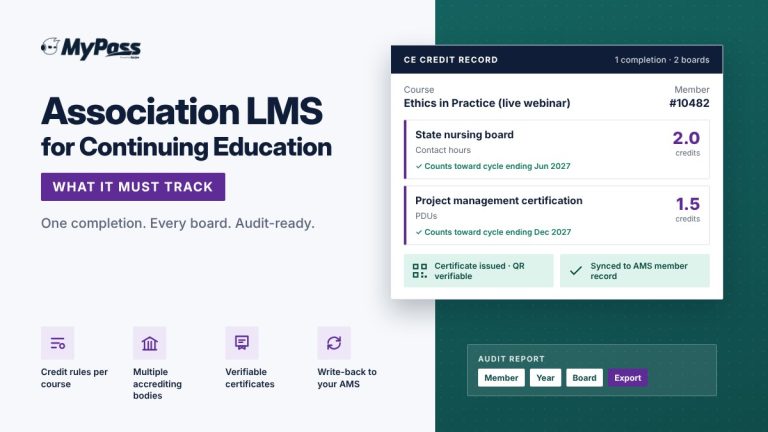
Association LMS for Continuing Education: What It Must Track
Associations & CE
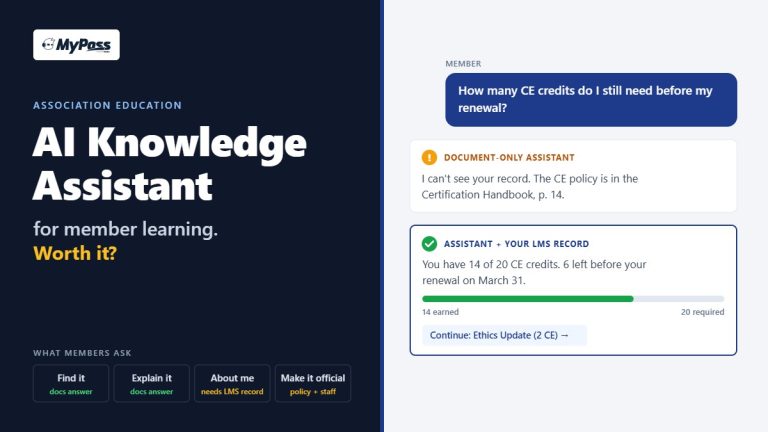
AI Knowledge Assistant for Association Education: Worth It?
Associations & CE