
4.7 Capterra 4.7 GetApp 4.8 Software Advice Sign inStart free trial →
What MyPass does Features Integrations AI Capabilities Community Edition
Who it's for Associations & certification bodies Corporate training teams Course sellers & training providers
Also used by
Nonprofits Compliance & regulatory training Customer & partner education Healthcare Academic institutions
Courses Pricing
Resources Blog Case Studies LMS Comparisons LMS Cost Calculator Research Help Center
About Kprise
MyPass LMS features

Everything you need to train, test and certify in one LMS

Build or upload courses, assign them by role or membership, run live sessions, give proctored exams, issue certificates and report on all of it. Here is every feature, grouped the way training teams work.

Or download the free Community Edition →

55 features10 categoriesEvery LMS feature in every hosted plan

The four things buyers ask about first

Most teams choose an LMS on a handful of capabilities. These are the ones we demo most, with the detail below.

Learning paths

Put training in the right order, for the right people

Sequence courses, live sessions and exams into a path, assign it to a role, group or membership tier, and let prerequisites hold back advanced content until the basics are done.

  • Assign to individuals, groups or departments in one step
  • Sequential flow with prerequisites
  • Due dates and reminders on every step
Exams and certificates

Exams you can trust, certificates you do not have to issue

Question banks, randomized and timed exams, webcam proctoring review and essay grading where an instructor has the final say. Pass, and the certificate is issued with its expiry date.

  • Single, multi-select, essay and passage-based questions
  • Branded certificate templates
  • Renewal reminders before certificates expire
Association management

Membership decides access. Your AMS stays in charge.

Sync members from iMIS, Nimble AMS, Fonteva, GrowthZone and six more, open courses by membership tier, and write completions and CE credits back to the member record.

  • Member and non-member access and pricing
  • Tier-based catalogs
  • CE credits written back to the AMS

MyPass for associations

Reports

Answer "who has finished?" without a spreadsheet

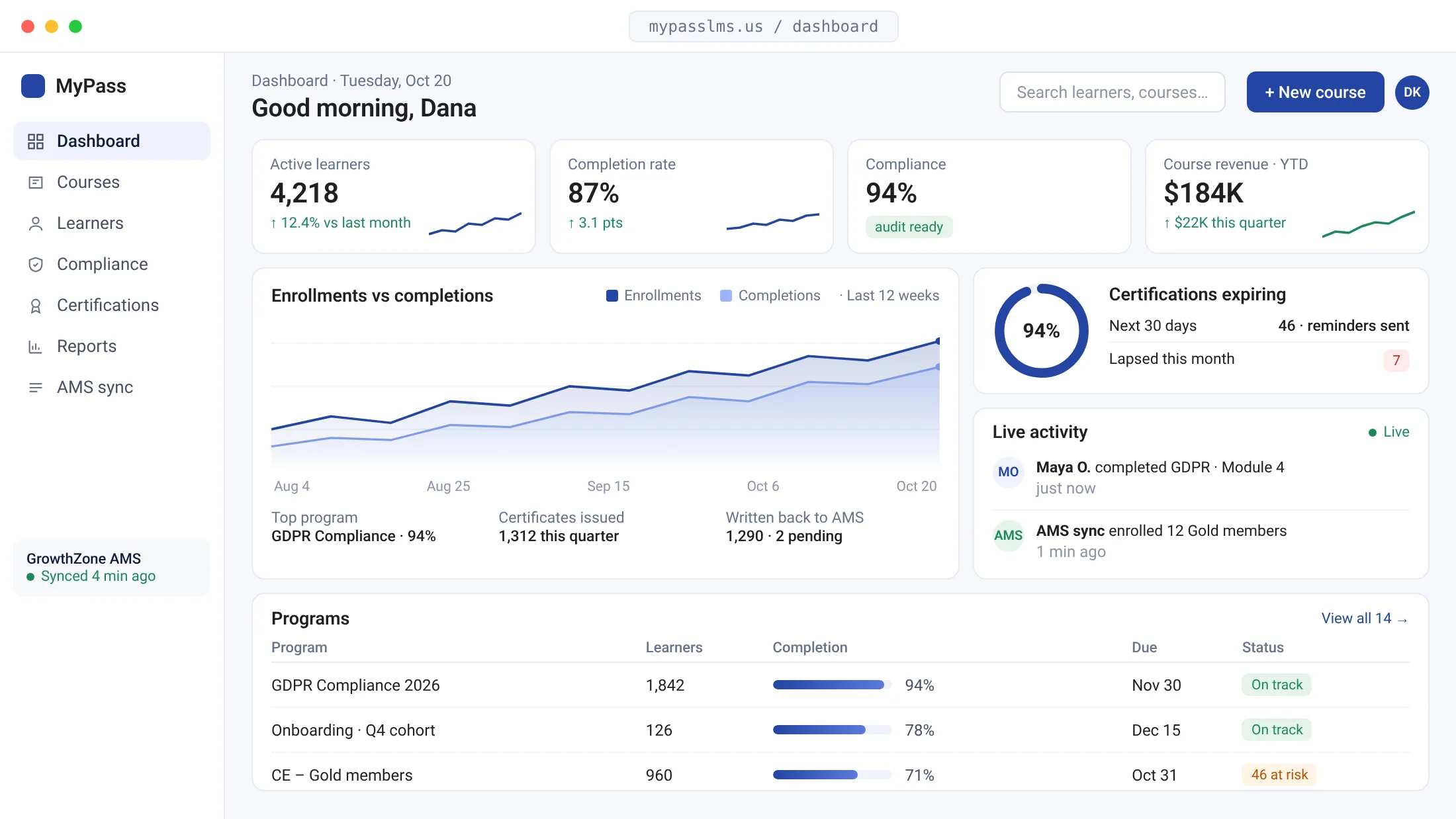
Track progress by person, group or course, see assessment results across cohorts, and build filtered reports you can export to Excel for managers, auditors or your board.

  • Live learner progress
  • Completion and assessment analytics
  • Dynamic reports on any field, exportable
6 features

Content & Creation

Build courses from scratch, turn existing slides, PDFs and videos into tracked courses, and keep every asset in one library.

AI

AI Course Authoring

Generate complete courses with AI content, images, and diagrams

How it works

Generate course outlines, summaries, detailed content, and supporting visuals using AI. Instructional designers review, edit and structure the draft into finished learning modules before anything reaches learners.

SC

SCORM Course Builder

Convert PPTs, PDFs, and videos into SCORM-ready courses automatically

How it works

Upload existing training materials and automatically convert them into SCORM-compliant modules. Digitize legacy content without rebuilding from scratch, making every resource fully trackable within the LMS. Ideal for organizations with existing libraries of PowerPoints, PDFs, and recorded videos.

CL

Content Library

Centralized repository to store, organize, and reuse all learning materials

How it works

Store, organize, and reuse training content across multiple programs from one centralized location. Teams build new courses from existing materials, and every program uses the same current version of each asset.

MC

Multimedia Course Creation

Build courses with text, images, video, and diagrams in one editor

How it works

Build structured learning modules using text, images, videos, and diagrams within a single authoring environment. Learners get a structured module instead of a static document.

EA

Embedded Assessments

Add quizzes and knowledge checks directly inside courses

How it works

Integrate assessments into learning modules to evaluate understanding at the moment of delivery rather than after completion. Immediate feedback reinforces learning and highlights knowledge gaps before learners advance to the next section, improving retention.

MC

Multilingual Course Creation

Create once, deliver in multiple languages with AI translation

How it works

Build courses in one language and automatically translate them via AI into multiple languages. Generate multilingual SCORM packages and allow learners to access content in their preferred language, enabling global training rollouts without duplicating content or rebuilding programs from scratch.

Or add ready-made courses from the course library

5 features

Learning Experience

Decide who gets which training, in what order, and in which language, then let learners work through it at their own pace.

CA

Course Assignment

Assign courses to individuals or entire groups in a single step

How it works

Allocate training programs to specific learners or entire groups in one action. Assignment status shows in the administrator dashboards as soon as the assignment is made.

LP

Learning Paths

Design structured certification journeys with defined progression

How it works

Design step-by-step learning paths that guide learners through required courses in a defined sequence. Ideal for certification programs where progression must follow a specific order, ensuring foundational knowledge is established before advanced topics are unlocked.

SL

Sequential Learning Flow

Control the exact order learners move through content

How it works

Ensure learners complete courses in a predefined order. Advanced modules stay locked until the prerequisite courses are complete.

ML

Multilingual Learning

Deliver consistent training across global regions and languages

How it works

Provide language selection for learners within the platform. Organizations deliver consistent training across different countries and regions without duplicating effort, all from one centralized platform and administration interface.

SP

SCORM Playback

SCORM delivery with full tracking and completion data

How it works

Deliver SCORM content with full tracking capabilities. Progress, time on task, scores and completion are recorded automatically as learners work through each module.

5 features

Engagement & Interaction

Run live and in-person sessions alongside online courses: scheduling, venues, QR check-in and feedback in the same system.

IL

Instructor-Led Training

Schedule and manage in-person and virtual sessions within the LMS

How it works

Create and manage classroom or virtual training sessions directly within the LMS. Organizations blend instructor-led training with digital learning in one platform, keeping all training records, attendance, and completion data in a single unified system.

QR

QR Attendance Tracking

Instant attendance via QR check-in, linked directly to compliance records

How it works

Learners check in to a session by scanning a QR code, instead of signing a paper sheet. Attendance is recorded against the learner and appears in compliance and completion reports.

SV

Session & Venue Management

Manage instructors, locations, and schedules in one place

How it works

Manage instructors, training locations, room capacities, and schedules all within the platform. Administrators and participants see session details in the same system as the rest of the training.

SF

Surveys & Feedback

Collect structured learner insights after each training session

How it works

Create and distribute surveys to gather feedback after training sessions. Structured responses help identify what is working, where content needs improvement, and how the overall learning experience should be refined, directly from the people it is designed for.

CF

Custom Feedback Forms

Design tailored feedback collection for each program

How it works

Build custom feedback forms tailored to specific programs, sessions, or training objectives. Training teams capture precisely the insights they need, rather than relying on generic surveys that miss program-specific quality indicators.

5 features

User & Organization Management

Add learners in bulk, organize them into groups and departments, and control what each role can see and do.

BU

Bulk User Onboarding

Add and enroll hundreds of users in a single upload step

How it works

Upload large numbers of users in a single step from a spreadsheet, instead of creating accounts one by one. Useful for organizational rollouts and seasonal cohorts.

UP

User Profile Management

Maintain structured learner data, roles, and full learning history

How it works

Create and maintain detailed user profiles including job roles, department assignments, and complete learning history. Structured profile data enables better personalisation, targeted training assignment, and accurate reporting at both individual and group levels.

GD

Groups & Departments

Segment learners into departments, cohorts, and certification groups

How it works

Segment users into departments, teams, regions, or certification cohorts. Group-level organization enables targeted training delivery, granular reporting, and structured compliance management, without requiring individual-level configuration for every learner.

RB

Role-Based Access Control

Define and enforce user permissions by role across the platform

How it works

Control what different user roles can access, create, manage, and view within the platform. Administrators, instructors, group managers, and learners each operate within appropriate boundaries, keeping sensitive data secure and reducing the risk of accidental content changes.

GB

Group-Based Course Allocation

Assign training programs to entire groups instantly

How it works

Deliver training to entire departments or cohorts rather than configuring assignments one learner at a time. As new members join a group, they are automatically included in applicable training assignments, keeping onboarding consistent without additional administrator effort.

8 features

Assessments & Certification

Question banks, timed and randomized exams, essay grading with an instructor in charge, and certificates issued on completion.

AQ

Advanced Question Builder

Build reusable question banks with single select, multi-select, essay, and passage-based formats

How it works

Build questions individually through an intuitive UI or upload in bulk via Excel templates. Supports single select, multi-select, yes/no, date-based, essay, and passage-based formats. Organize questions into reusable banks to streamline assessment creation and maintain consistency across certification and compliance programs.

AB

Assessment Builder

Create structured evaluations with multiple question types

How it works

Design full assessments using multiple question types including single select, multi-select, and descriptive responses, all from a single builder interface. Supports diverse evaluation methods suitable for everything from quick knowledge checks to formal certification exams.

TA

Timed Assessments

Set exam durations to ensure fairness and consistency

How it works

Set time limits for assessments to ensure every learner operates under the same conditions. Commonly used for certification and compliance exams that require standard conditions.

RQ

Randomized Questions

Randomize questions and answers to preserve assessment integrity

How it works

Randomize both questions and answer options for each individual learner. This minimizes the ability to share answers between participants and improves assessment integrity, particularly important for certification exams delivered to large or distributed cohorts.

AI

AI-Assisted Essay Grading

Automate evaluation workflows while retaining full instructor control

How it works

Use AI to generate initial evaluations of learner responses while instructors retain full review and override authority. This reduces manual grading workload for large cohorts while ensuring final assessments are reviewed by a qualified human before results are issued.

IR

Instructor Review & Override

Maintain full grading authority over AI-generated evaluations

How it works

Allow instructors to review AI-suggested grades, add qualitative feedback, and override results before finalisation. This ensures accuracy and fairness in every evaluation, particularly for open-ended responses where context and nuance matter to the final outcome.

CB

Certificate Builder

Design branded certificate templates for your programs

How it works

Create fully customized certificate templates aligned with your organization's branding, including logo placement, typography, and design elements. Each program can have its own template.

AC

Automated Certification

Issue certificates instantly on course or program completion

How it works

Automatically generate and issue certificates the moment a learner meets completion or pass criteria. Learners receive the certificate straight away, and administrators keep a record of every certificate issued.

How webcam proctoring works in MyPass

4 features

Insights & Analytics

See progress, completions and assessment results by person, group or course, and export what you need.

LP

Learner Progress Tracking

Monitor individual and group learning journeys in real time

How it works

Track individual and group progress across all courses and programs in real time. Administrators see who is on track, who is falling behind, and where specific content is causing drop-off, enabling targeted intervention before completion rates are affected.

CC

Course Completion Reports

Measure training effectiveness with detailed completion data

How it works

Access detailed completion reports per course, program, or cohort. See where learners finish and where they stall, and export the results for leadership, funders or auditors.

AA

Assessment Analytics

Understand knowledge gaps and performance trends across cohorts

How it works

Analyse assessment results at both individual and cohort level to surface knowledge gaps and performance trends. This data directly informs decisions about content revision, remedial training needs, and whether existing programs are delivering measurable learning outcomes.

DR

Dynamic Reporting

Filter and generate custom reports on any parameter

How it works

Filter and generate reports across any dimension, by learner, group, date range, course, completion status, or assessment score. Administrators focus on the specific data they need without navigating through fixed report templates that do not match their actual questions.

4 features

AI & Automation

AI that drafts courses, surveys and grading suggestions, with a person reviewing before anything reaches learners.

AI

AI Content Generation

Generate course drafts, summaries, and explanations

How it works

Generate complete course drafts, module summaries, and topic explanations using AI prompts. Accelerates content creation while retaining full flexibility for instructional designers to refine, restructure, and add organization-specific context before publishing.

AI

AI-Assisted Evaluation

Reduce manual grading effort without removing instructor oversight

How it works

Leverage AI to assist with evaluating learner responses, particularly open-ended essay answers, at scale. Instructors receive AI-suggested evaluations to review and confirm, rather than grading from scratch. This improves throughput while maintaining evaluation quality across large cohorts.

AI

AI Survey Generation

Build feedback forms instantly using natural language prompts

How it works

Create structured feedback forms by describing what you want to learn from learners in plain language. The AI generates relevant question sets that can be reviewed, adjusted, and deployed in minutes, removing the blank-page problem that slows down feedback collection program by program.

AI

AI Learning Assistant

Prompt-based AI that guides learners and administrators in real time

How it works

A prompt-based AI assistant for administrators and learners. Administrators use it to draft content and find their way around the platform; learners ask questions about the course they are taking, and anything unclear goes to a person.

6 features

Security & DRM

Content protection through MyPass DRM, Kprise's document-protection technology. Ask us which controls apply to your plan.

DR

Digital Rights Management

Protect proprietary content from unauthorized access and distribution

How it works

Control who can open protected training materials and restrict sharing, copying and redistribution.

PP

Protected PDF Distribution

Share sensitive documents securely without enabling downloads

How it works

Share PDFs in a protected environment where downloads and unauthorized distribution are restricted. Suited to sensitive compliance documents, proprietary frameworks and legal training materials.

DL

Device-Level Access Control

Restrict content access to authorized devices only

How it works

Ensure content can only be accessed on explicitly authorized devices. This adds a layer of protection beyond the login itself.

DRM

DRM Policy Management

Define and configure granular content access rules

How it works

Configure granular policies governing how content is accessed, shared, and viewed across your platform. Set access windows, view limits, and sharing permissions per content item or category.

SD

Secure Document Reader

Deliver content through a controlled viewing environment

How it works

Deliver training materials through a secure reader that prevents copying, printing, or unauthorized extraction of content. Learners read the material inside a controlled viewer.

EK

Encryption & Key Rotation

Content protection with ongoing key management

How it works

Protected content is encrypted, and encryption keys are rotated periodically.

About MyPass DRM

5 features

Platform & Support

Help for admins and learners inside the platform: guides, walkthrough videos, documentation and a ticketing system.

HC

Help Center

Self-service support guides accessible directly within the platform

How it works

Provide users with immediate access to guides, walkthroughs, and troubleshooting resources directly within the platform, without leaving their workflow. New administrators and learners can answer common questions themselves.

VW

Video Walkthroughs

Step-by-step video guides for faster platform adoption

How it works

Help administrators and learners understand the platform through structured video tutorials covering key workflows. Useful when new administrators are setting up their first programs.

DL

Documentation Library

Central knowledge base covering every platform feature and workflow

How it works

Access comprehensive documentation covering all platform features, configuration options, and administrative workflows. Supports administrators setting up programs and learners navigating training, reducing the support burden and enabling confident platform use from day one.

ST

Support Ticketing System

Raise and track support requests directly within the platform

How it works

Users create and submit support tickets directly within the platform, instead of separate email threads. Every issue is tracked from creation to resolution, with a record of each interaction.

TT

Ticket Tracking & History

Full visibility into every support interaction and resolution

How it works

Maintain a complete, searchable record of all support interactions including original issue, response timeline, and resolution. Administrators and users can reference previous tickets, follow ongoing cases, and verify resolution status, improving communication and accountability throughout the support process.

Open the MyPass help center

7 features

Association & Member Management

Membership tiers, member access rules and member communication for associations, connected to your AMS or run inside MyPass.

MM

Member Management

Manage the complete member lifecycle from a single interface

How it works

Create, manage, and track member profiles including roles, membership status, and engagement history. Associations maintain accurate, structured member records across the full lifecycle, from initial registration through renewal, status changes, and eventual offboarding.

MP

Membership Plans & Tiers

Define multiple membership structures with tiered access and benefits

How it works

Set up multiple membership tiers with differentiated access levels, pricing structures, and learning benefits. This allows organizations to serve diverse member segments, students, professionals, fellows, corporate members, each with appropriate course access and certification pathways.

MO

Member Onboarding

Automated onboarding workflows for new members

How it works

Enable smooth, automated onboarding workflows for new members, from registration and profile completion through initial course assignment and welcome communication. Reduces manual coordination and ensures every new member receives a consistent, professional first experience with the organization.

MA

Member Access Control

Restrict courses and content by membership tier

How it works

Restrict course, content, and platform feature access based on membership level. Each member group sees the content its membership includes.

MC

Member Communication

Send targeted messages to members based on group, tier, or role

How it works

Send targeted communications to specific member groups, tiers, or roles rather than broadcasting to your entire database. Training reminders, certification renewal notices, and event announcements reach the right members at the right time, improving engagement and reducing information noise.

MD

Member Directory

Searchable, centralized database of all members

How it works

Maintain a searchable directory of all members with profile data, roles, and engagement status. Supports networking within the community, administrative management of large member bases, and internal collaboration, while maintaining appropriate privacy controls for sensitive member information.

TA

Training and Membership Integration

Link learning programs and certifications directly to membership benefits

How it works

Connect training programs, certifications, and learning paths directly to membership benefits and tier progression. Members see learning as part of what their membership includes, rather than a separate system.

See the AMS, HR and SSO integrations

Feature questions, answered

Does MyPass LMS support SCORM?

Yes. Upload SCORM packages from any authoring tool and MyPass tracks progress, scores and completion. You can also convert slides, PDFs and videos into SCORM-ready courses with the built-in course builder.

Can MyPass run certification programs?

Yes. Build learning paths in a required order, add timed and randomized exams with webcam proctoring review, and issue branded certificates automatically when someone passes. Expiry dates and renewal reminders keep recertification on schedule.

Does MyPass handle instructor-led training?

Yes. Schedule in-person and virtual sessions, manage instructors and venues, record attendance with QR check-in or through Zoom and Microsoft Teams, and collect feedback after each session.

How does MyPass work with an association management system?

MyPass syncs members from iMIS, Nimble AMS, Fonteva, GrowthZone and six other AMS platforms, controls course access by membership tier, and writes completions and CE credits back to the member record.

Is every feature included in every plan?

Every hosted plan includes every LMS feature, and so does the 15-day free trial. Plans differ by hosting capacity and support, not by feature tier, and registered users are unlimited on every plan. Two exceptions: the self-hosted Community Edition does not include email and AI services, and content protection through MyPass DRM is scoped with you, so ask which controls apply to your plan.

Can we try the features before buying?

Yes. Start a 15-day free hosted trial with no credit card, or book a demo and we will walk through the features that matter for your programs.

Comparing platforms? Use the LMS requirements checklist or see how MyPass compares.

See the features that matter for your programs

Book a 30-minute demo focused on what you run: compliance, certification, onboarding or member education. Or start a free trial and try every feature yourself.

15-day trial · No credit card · Unlimited registered users

Start your free hosted trial Book a demo Or download the free Community Edition →